 evan
7df8521478
evan
7df8521478
- Rewrite server to use net/http.Server with ServeHTTP handler instead
  of raw TCP listener with hand-written HTTP responses. Control plane
  errors now get proper Content-Type, Content-Length, and chunked
  encoding via http.Error(). Tunnel traffic hijacks the connection and
  re-serializes the request for forwarding.
- Simplify reconstructedConn to accept variative io.Readers
- Delete raw_http_response_writer.go (no longer needed)
- Fix TCP forwarder: bare host:port (e.g. "127.0.0.1:5432") now works
  correctly instead of failing on url.Parse. Only HTTP/HTTPS schemes
  go through URL parsing; everything else is treated as raw TCP.
- Add 8 new e2e tests: HTTP response quality, 1MB response body, 512KB
  request body, TCP echo, TCP large payload, concurrent single-tunnel,
  concurrent multi-tunnel (16 tests total, all passing)
Conduit
A lightweight tunneling service that exposes local services to the internet through a public server — similar to ngrok, but self-hosted.
Deploy Conduit on a public server (e.g., https://conduit.example.com), then create tunnels from your local machine. Point a tunnel at a local endpoint (e.g., localhost:8000) and it becomes accessible at a subdomain like https://black-fox-123.conduit.example.com.
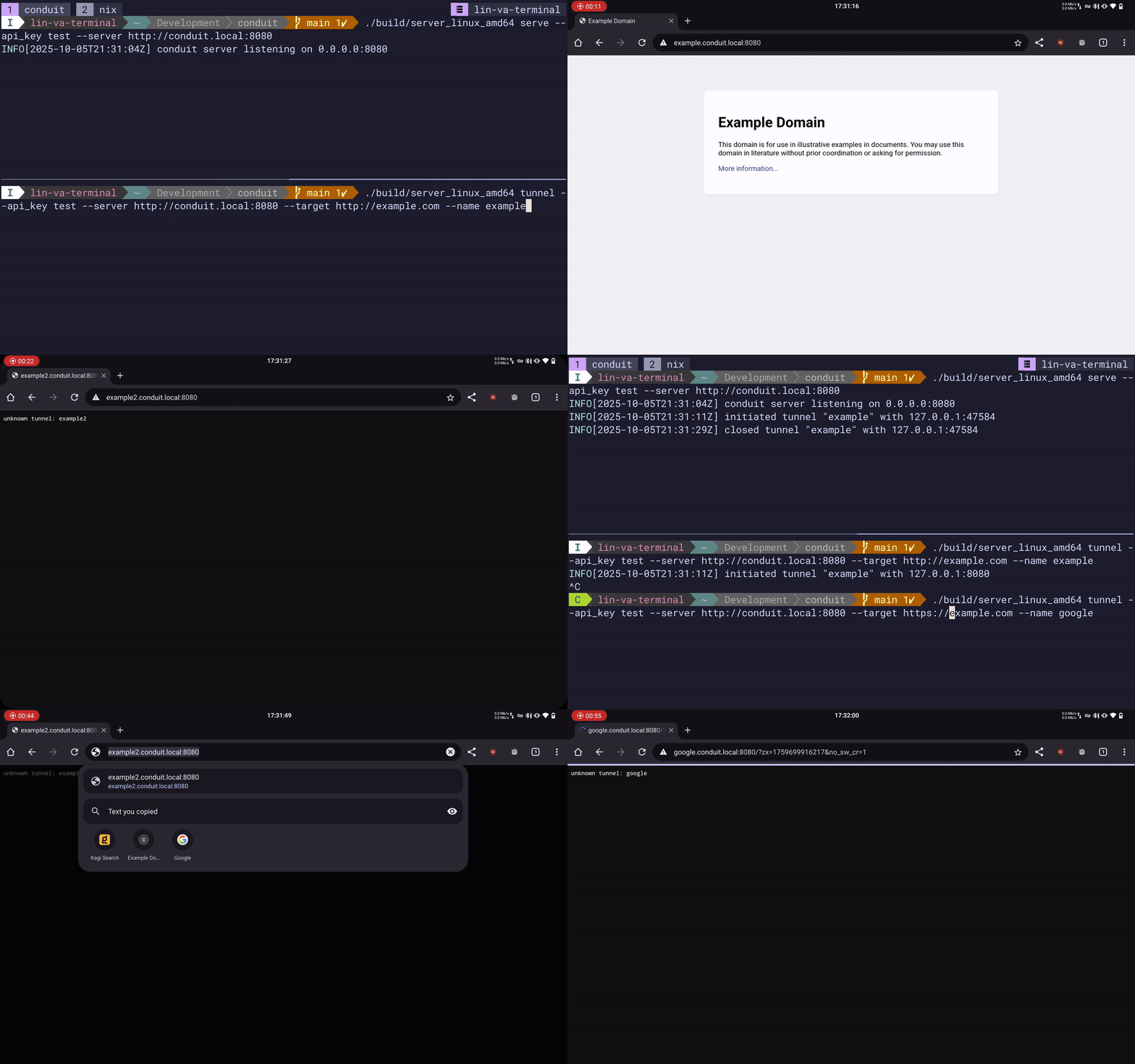
Features
- HTTP & TCP tunneling — automatically detected based on the target scheme
- Subdomain routing — each tunnel gets a unique subdomain on the server
- Auto-generated tunnel names — random
color-animal-numbernames when none is provided - Local tunnel monitor — web UI on
:8181with SSE-based live request/response inspection - API key authentication — simple shared-key auth between client and server
- Minimal footprint — single binary, no external dependencies
Architecture
┌──────────────┐         WebSocket          ┌──────────────────┐
│ conduit      │◄──────────────────────────► │ conduit          │
│ tunnel       │    (control + streams)      │ serve            │
│ (client)     │                             │ (public server)  │
├──────────────┤                             ├──────────────────┤
│ HTTP Fwd  or │                             │ Raw TCP listener │
│ TCP Fwd      │                             │ Subdomain router │
├──────────────┤                             │ WS upgrade       │
│ Tunnel       │                             └──────────────────┘
│ Monitor :8181│
└──────────────┘
The server accepts raw TCP connections, reads the HTTP Host header to determine routing. Requests to the base domain hit the control API; requests to subdomains are forwarded over WebSocket to the matching tunnel client. The client then forwards traffic to the local target via either a reverse-proxy (HTTP) or direct TCP dial.
Quick Start
Prerequisites
- Go 1.25+ (or Docker)
Build
# Local build (all platforms)
make build_local

# Docker
make docker_build_local
Server
Run the server on a publicly accessible host:
conduit serve \
  --server https://conduit.example.com \
  --bind 0.0.0.0:8080 \
  --api_key your-secret-key
Or with Docker:
docker run -p 8080:8080 \
  -e CONDUIT_SERVER=https://conduit.example.com \
  -e CONDUIT_API_KEY=your-secret-key \
  conduit:latest
Client
Create a tunnel to expose a local service:
# HTTP tunnel (auto-generates name)
conduit tunnel \
  --server https://conduit.example.com \
  --api_key your-secret-key \
  --target http://localhost:8000

# Named TCP tunnel
conduit tunnel \
  --server https://conduit.example.com \
  --api_key your-secret-key \
  --name my-service \
  --target localhost:5432
The local tunnel monitor is available at http://localhost:8181 for HTTP tunnels.
Configuration
All options can be set via CLI flags or environment variables (CONDUIT_ prefix):
Server (conduit serve)
| Flag | Env Var | Default | Description |
|---|---|---|---|
--server |
CONDUIT_SERVER |
http://localhost:8080 |
Public server address |
--api_key |
CONDUIT_API_KEY |
— | API key (required) |
--bind |
CONDUIT_BIND |
0.0.0.0:8080 |
Listen address |
--log_level |
CONDUIT_LOG_LEVEL |
info |
Log level |
--log_format |
CONDUIT_LOG_FORMAT |
text |
Log format (text or json) |
Client (conduit tunnel)
| Flag | Env Var | Default | Description |
|---|---|---|---|
--server |
CONDUIT_SERVER |
http://localhost:8080 |
Conduit server address |
--api_key |
CONDUIT_API_KEY |
— | API key (required) |
--name |
CONDUIT_NAME |
(auto-generated) | Tunnel subdomain name |
--target |
CONDUIT_TARGET |
— | Local target address (required) |
--log_level |
CONDUIT_LOG_LEVEL |
info |
Log level |
--log_format |
CONDUIT_LOG_FORMAT |
text |
Log format (text or json) |
Server API
| Endpoint | Description |
|---|---|
/_conduit/tunnel?tunnelName=<name>&apiKey=<key> |
WebSocket tunnel registration |
/_conduit/info?apiKey=<key> |
JSON list of active tunnels |
Project Structure
├── cmd/             # Cobra CLI commands (root, serve, tunnel)
├── config/          # Configuration parsing & logging setup
├── server/          # TCP listener, subdomain routing, WebSocket upgrade
├── tunnel/          # Tunnel, Stream, and Forwarder abstractions
├── store/           # In-memory request/response recording for the monitor
├── web/             # Local tunnel monitor HTTP server & SSE streaming
├── types/           # Shared message types
├── pkg/maps/        # Generic concurrent map
├── build/           # Compiled binaries (gitignored in practice)
├── Dockerfile       # Single-stage Docker build
└── Makefile         # Build & release targets
License
See repository for license details.